iBocconi7.2
Continue to app
Free Version
Publisher Description
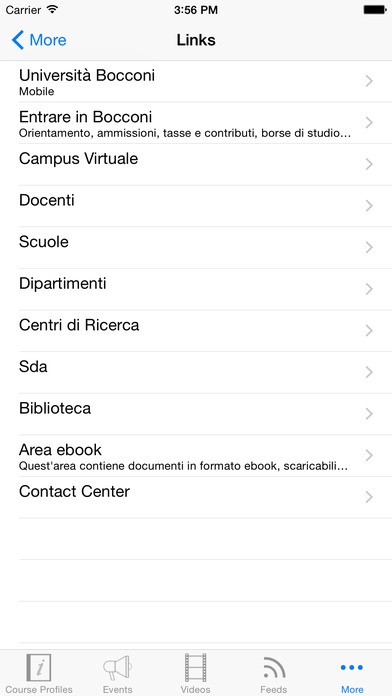
Official Application of Universit Commerciale Luigi Bocconi.
iBocconi has been created to offer mobile services to anyone interested in following the University's activities and initiatives.
All users can access information on:
Events
Courses
Videos
Feeds
Links
Bocconi students and faculty can also:
log on with personal credentials
modify settings
access their user profile
receive messages
access the University's webmail service
view subscribed events
register for the exams (students)
view class and exam timetables (students).
The application will also soon include services for the Bocconi staff.
Requires iOS 7.0 or later. Compatible with iPhone, iPad, and iPod touch.
About iBocconi
iBocconi is a free app for iOS published in the Kids list of apps, part of Education.
The company that develops iBocconi is CINECA CONSORZIO INTERUNIVERSITARIO. The latest version released by its developer is 7.2.
To install iBocconi on your iOS device, just click the green Continue To App button above to start the installation process. The app is listed on our website since 2011-07-01 and was downloaded 2 times. We have already checked if the download link is safe, however for your own protection we recommend that you scan the downloaded app with your antivirus. Your antivirus may detect the iBocconi as malware if the download link is broken.
The company that develops iBocconi is CINECA CONSORZIO INTERUNIVERSITARIO. The latest version released by its developer is 7.2.
To install iBocconi on your iOS device, just click the green Continue To App button above to start the installation process. The app is listed on our website since 2011-07-01 and was downloaded 2 times. We have already checked if the download link is safe, however for your own protection we recommend that you scan the downloaded app with your antivirus. Your antivirus may detect the iBocconi as malware if the download link is broken.
How to install iBocconi on your iOS device:
- Click on the Continue To App button on our website. This will redirect you to the App Store.
- Once the iBocconi is shown in the iTunes listing of your iOS device, you can start its download and installation. Tap on the GET button to the right of the app to start downloading it.
- If you are not logged-in the iOS appstore app, you'll be prompted for your your Apple ID and/or password.
- After iBocconi is downloaded, you'll see an INSTALL button to the right. Tap on it to start the actual installation of the iOS app.
- Once installation is finished you can tap on the OPEN button to start it. Its icon will also be added to your device home screen.
Program Details
System requirements
Operating systems
iOS
Download information
File size
26.5 MB
Total downloads
2
Pricing
License model
Free
Price
Version History
Here you can find the changelog of iBocconi since it was posted on our website on 2016-11-03. The latest version is 7.2 and it was updated on Soft112 on 07 October, 2026. See below the changes in each version:
